 Blobify – Large File Attachments for JSM
Large files, right on the service request
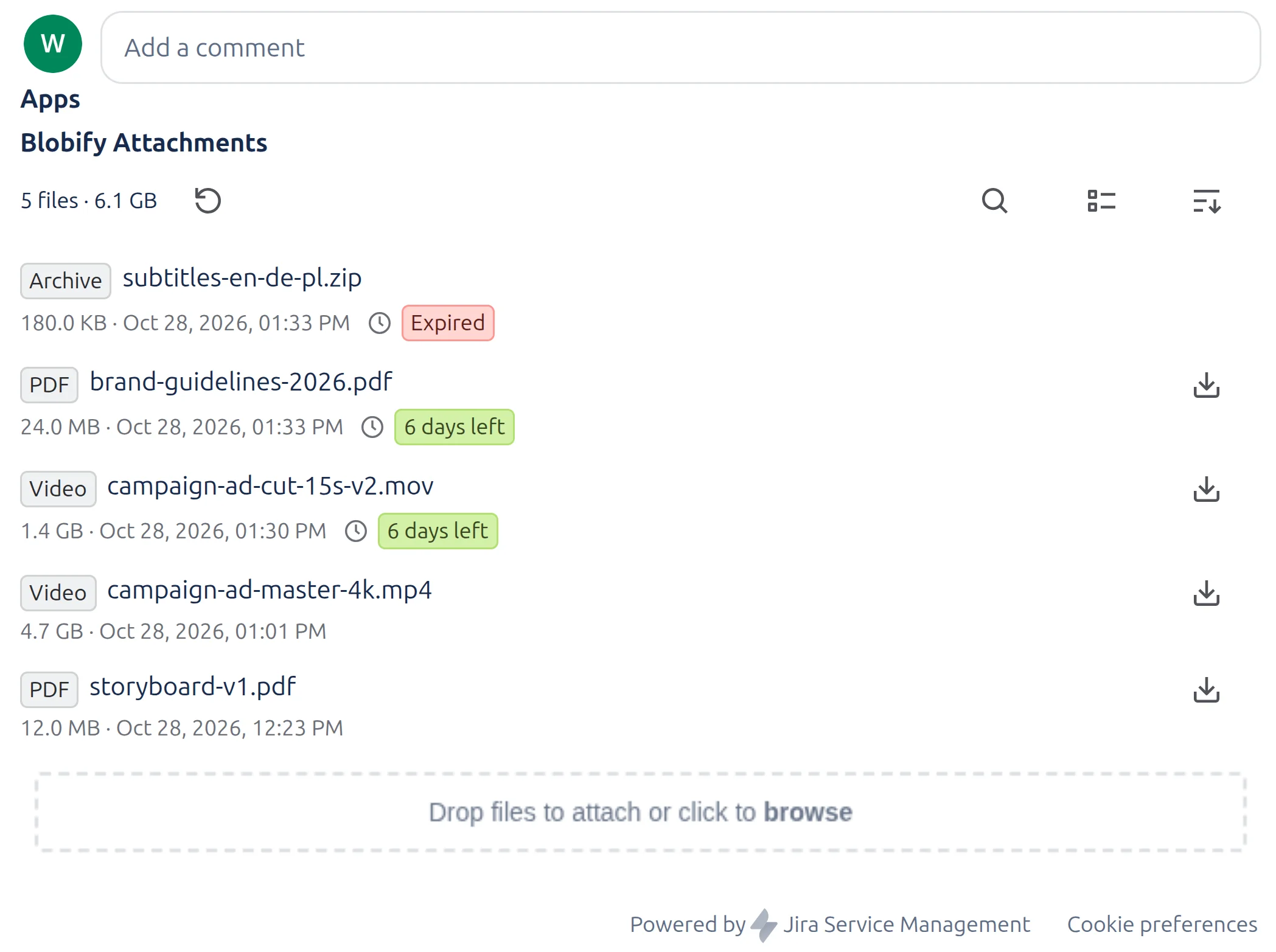
Customers and agents exchange files up to 100 GB on JSM requests – stored in your own cloud bucket, never in Jira and never on our servers.
portal-view.webp
Large files rarely fit a service request. So they end up behind external links – outside the request and its permissions. Blobify keeps them on the request, in your own bucket, shared with the customer only when you choose.
Large files stay with the request
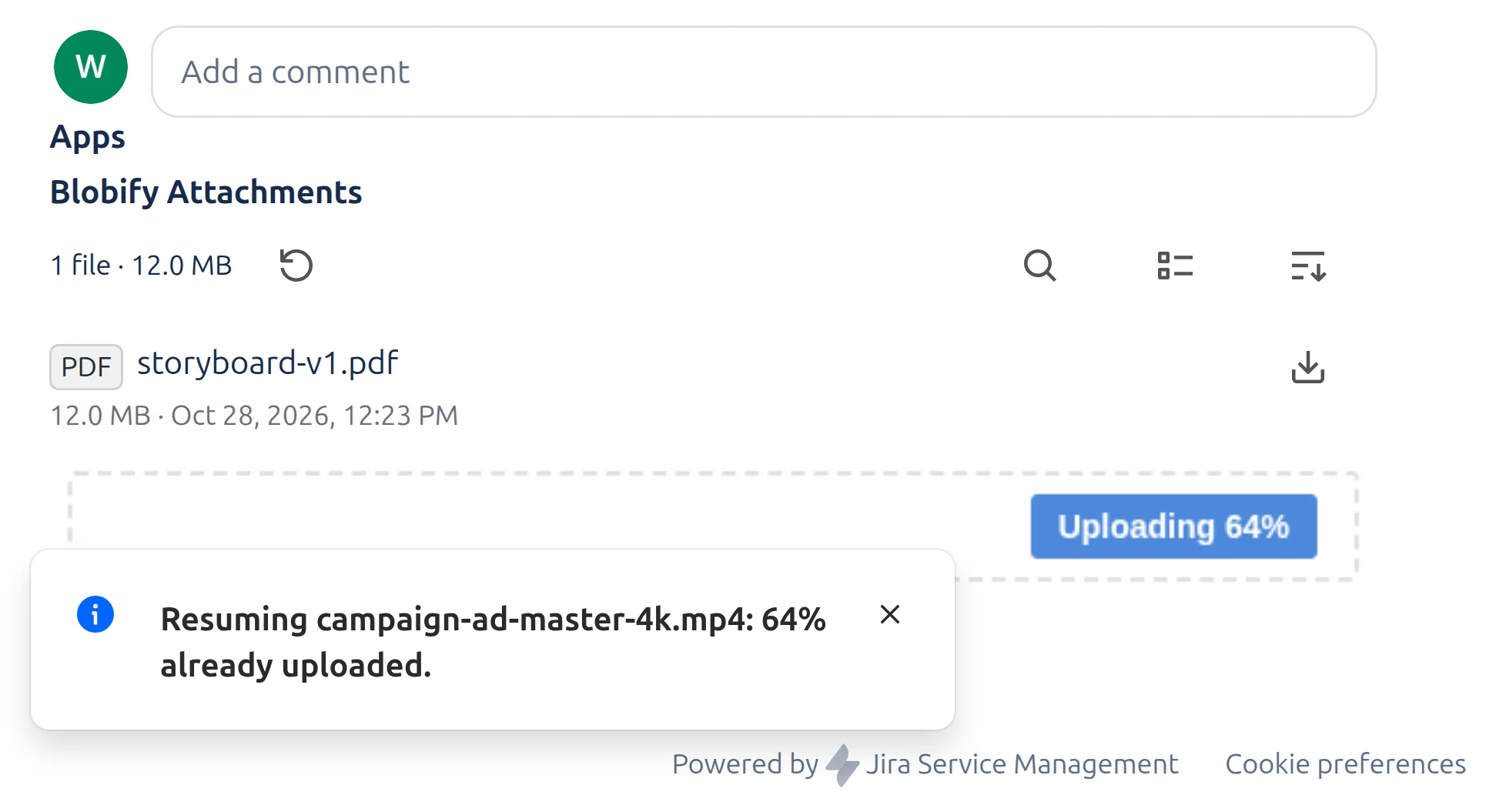
Customers and agents upload directly to your bucket, up to 100 GB per file. If a big upload loses its connection, press Upload again and it picks up where it stopped – no starting from zero. None of it counts against your Jira storage.
- You set the size cap – stricter for customer uploads, per space
- Allow-list of file types, narrowed per space for customers
portal-resume.webp
Built for the agent–customer handoff
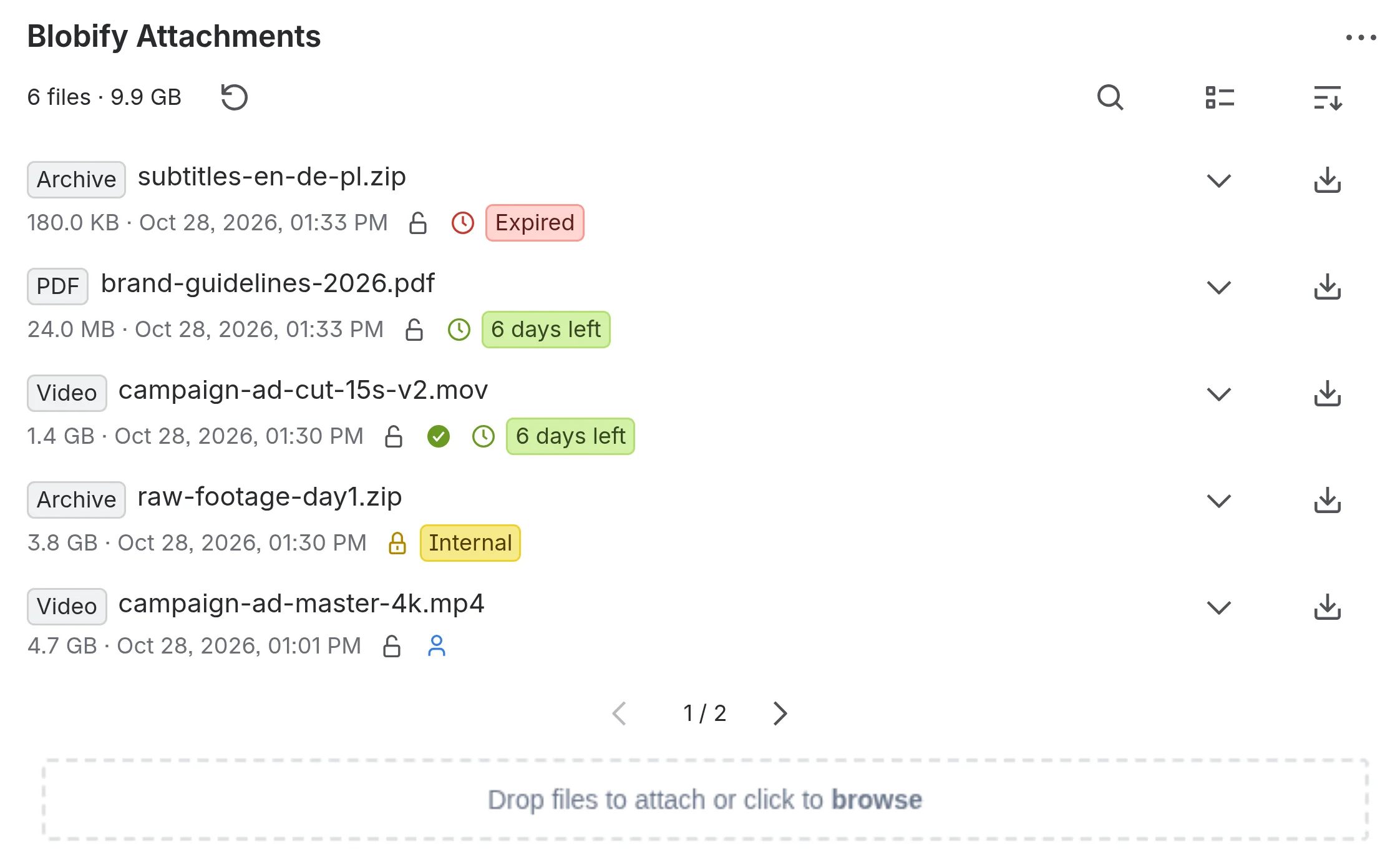
Share each file with the customer or keep it internal, for as long as you choose. When access ends the customer can no longer download the file – agents still can, and nothing is deleted.
- See what came from the customer and what they've started downloading
- Optional comments on the request when files are added or shared, so Jira notifies the other side
agent-panel.webp
Your bucket, nothing in between
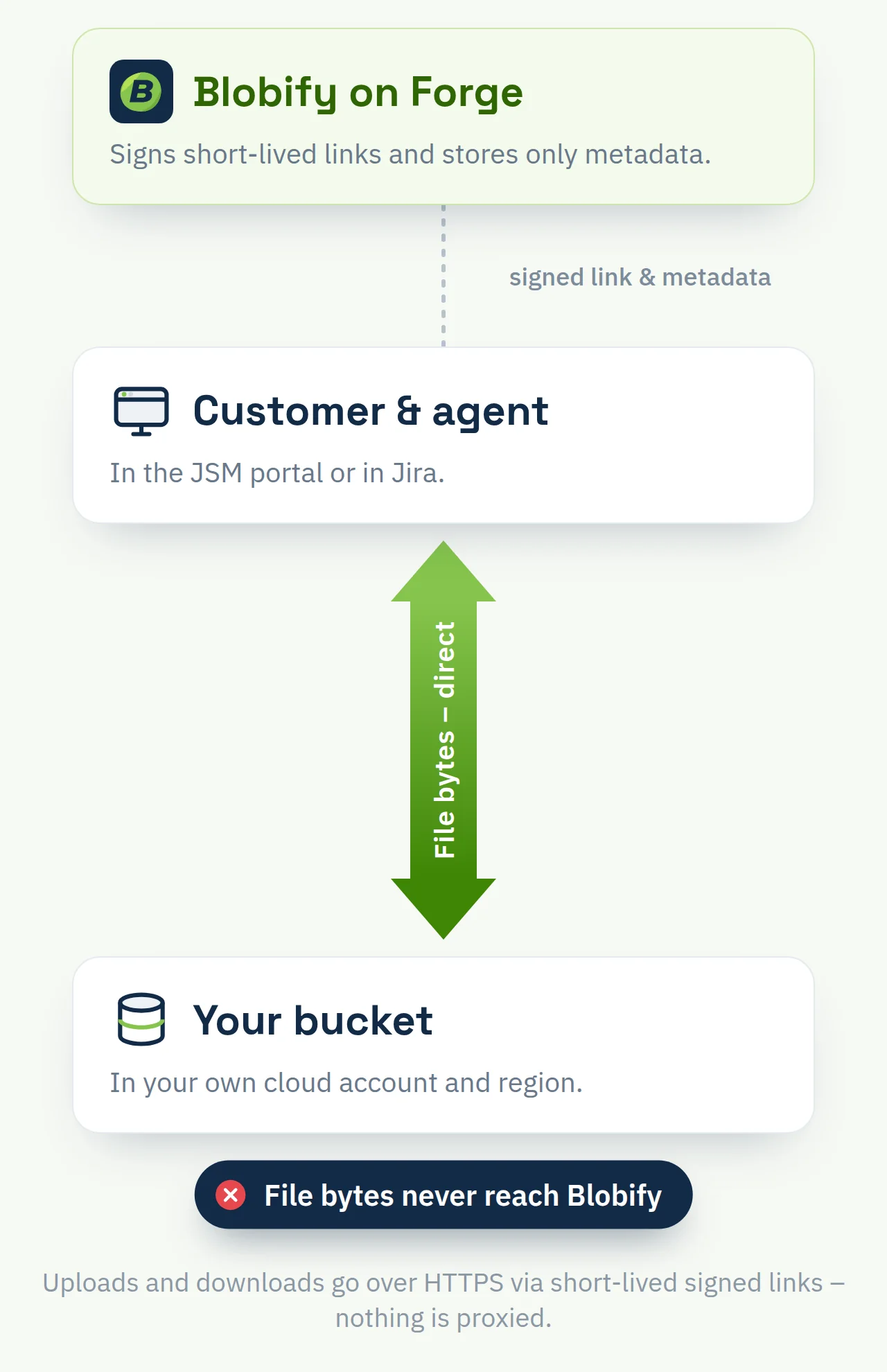
Files go browser-direct to your own bucket – never through Atlassian or us. Storage keys stay in Forge's encrypted secret storage and are used only to sign links. Every link is short-lived and issued only after Jira or JSM confirms access.
Read the security policy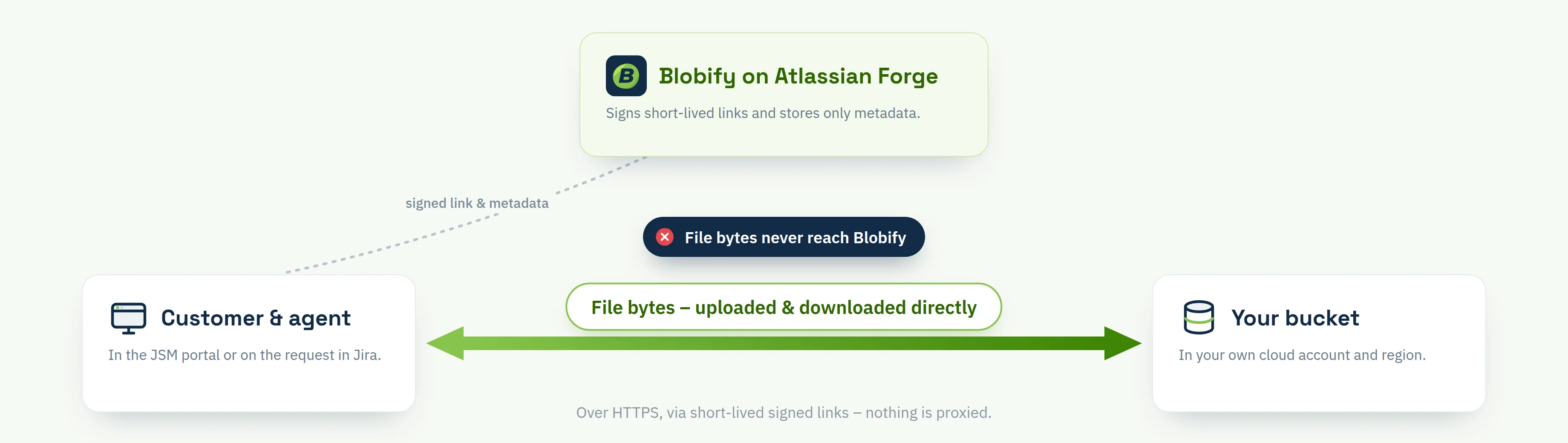
Set up in three steps
-
01
Add your storage
In Blobify's admin page, add a storage target: a bucket or container with its own keys. Assign it to the spaces that should use it.
-
02
Choose where Blobify appears
In the issue sidebar, as a button on issues, and on request pages in the customer portal. Decide whether customers can upload.
-
03
Set the rules per space
Sharing defaults for agents, size cap and file types for customers, and optional comments on the request.
Not only for service desks: Blobify works on regular Jira spaces too – with bulk zip download and delete, JQL search and links in Jira comments.