Apps that make Atlassian Cloud work harder
VelociBit™ builds native Atlassian Forge apps for Atlassian Cloud, adding new capabilities over time. Starting with Blobify – Cloud Attachments for Jira, our app for offloading attachments to your own cloud storage.
Our first apps
More Atlassian Cloud apps are in the works.
 Blobify – Cloud Attachments for Jira
Available now
Blobify – Cloud Attachments for Jira
Available now
Offload Jira attachments to AWS S3, Azure Blob Storage, Google Cloud Storage, S3-compatible clouds, or on-prem MinIO.
View details
Blobify – Cloud Attachments for Confluence
Launching soon
The same bring-your-own-storage attachments, coming to Confluence pages and blog posts.
Get early accessBlobify – Cloud Attachments for Jira, everything attachments need
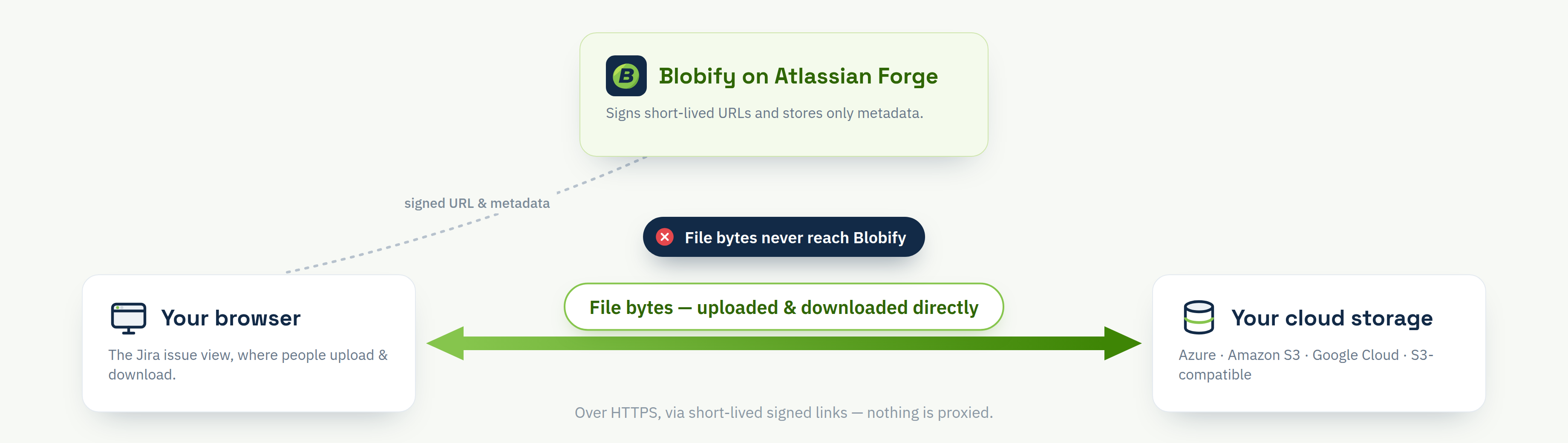
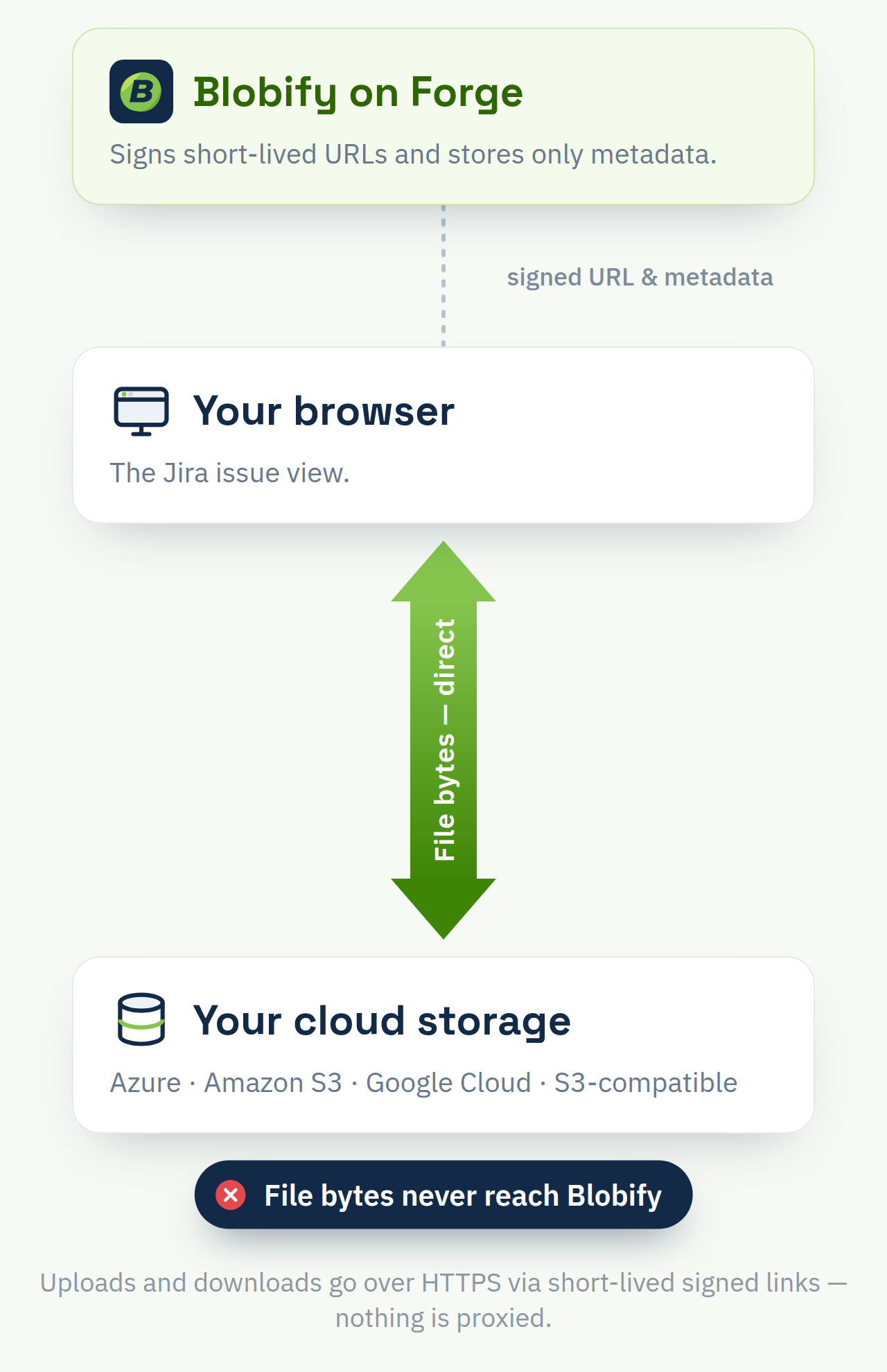
Blobify runs entirely inside Atlassian's trusted Forge runtime — your files never pass through a third-party server.
Bring your own storage
Connect AWS S3, Azure Blob Storage, Google Cloud Storage, any S3-compatible provider, or self-hosted MinIO in minutes. Files live in your bucket — they never count against Jira's storage, and you're not stuck with Jira's 2 GB-per-file cap.
Native to Jira, no server in between
Built on Atlassian Forge, Blobify runs inside Atlassian's trusted runtime. Files upload browser-direct to your bucket — never sitting in Jira or passing through an external server.
Credentials that can't leak
Your storage keys are encrypted inside Atlassian and can never be read back — not by us, not by anyone.
Full compliance control
Retention, region, and access policies stay entirely under your control, in the storage account you already own.
Set up once, use it everywhere
Connect your storage
Authorize your AWS, Azure, GCP, S3-compatible, or MinIO bucket directly from the Blobify admin panel.
Set permissions & placement
Choose who can upload — using Jira's own attachment permissions or Blobify's — and where the Blobify panel appears on your issues.
Upload from any issue
Your team drops files onto the Blobify panel and they go straight to your storage — nothing stored in Jira.
Zero-payload architecture